




Obtenga el suyo gratis Guía de autonomía de drones ¡Hoy!

You're responding to an incident in a parking lot. The scene needs comprehensive documentation: every angle, consistent framing, footage that holds up during review.
Without automation, capturing that coverage means doing three things at once. Flying a circular path with manual flight controls. Continuously adjusting gimbal pitch and yaw to keep the target centered. Managing your camera and payload: zoom adjustments, lens switching, maybe activating the searchlight or broadcasting a warning through the speaker. Three demanding tasks, competing for the same pair of hands, during a moment when you should be assessing the situation and coordinating with your team.
Something has to give. Flight safety isn't negotiable. You can't drop the sticks. So you compromise elsewhere: rushed gimbal adjustments that overcorrect, moments where the target drifts out of frame while you stabilize altitude, coverage gaps where you prioritized not crashing over camera positioning. And while your hands are occupied, you're not making tactical calls. You're not communicating what you're seeing to ground teams. You're not thinking ahead. The cognitive load doesn't just hurt your footage. It takes you out of the decision-making loop entirely.
Point of Interest removes the juggle. Select a target on the map, and FlytBase handles the coordination automatically. The drone orbits at a consistent distance while the camera stays locked on your focus point. Your hands are free. Your attention is freed up. You're back to doing the work that actually requires a human: assessing the scene, coordinating response, making decisions, communicating with your team.
Orbit a vehicle to capture plates, damage, and surrounding context from every angle, without splitting attention between stick inputs and gimbal controls. Circle a person of interest to document clothing, behavior, and position relative to the environment. Sweep a perimeter breach point systematically rather than through hasty manual panning that misses details.
With flight and tracking handled automatically, you can focus on what matters. Adjust zoom levels as you orbit to capture both context and detail. Switch between wide-angle and telephoto. Toggle to thermal when lighting changes. Activate the searchlight, control strobe patterns. Use text-to-speech through the speaker to issue warnings, or play pre-stored audio files. These are the tasks that actually need your attention during an incident. Now you can give them that attention.
The footage quality difference is immediate. Automated orbits produce stable, consistent coverage: fixed distance, smooth movement, target always centered. This is footage that reviews cleanly and holds up when evidence quality is questioned. Manual orbital attempts, with their constant corrections and altitude drift, rarely achieve the same result.
When the footage might end up in an incident report, a court filing, or an insurance claim, "good enough" isn't good enough.
Inspection Workflows
The same cognitive overhead applies to inspection work, just with different stakes. Structural assessment and equipment inspection demand comprehensive coverage without gaps, redundancy, or inconsistent framing. Manual attempts mean the same three-way juggle, the same compromises.
POI provides systematic documentation that manual flying can't match. Orbit a cell tower and capture all sides at identical distance. Circle industrial equipment for comprehensive visual records. Document building facades, rooftops, and infrastructure damage with coverage you can actually compare over time.
That consistency matters more than it might seem. When you're tracking equipment condition across months or years, comparing footage shot from different distances and angles introduces noise. Was that discoloration there last quarter, or is it just the lighting from a different position? POI eliminates the variable. Same orbit, same distance, same framing. The only thing that changes is the asset itself.
For insurance documentation, compliance records, and maintenance planning, this repeatability is the difference between useful archives and footage you can't trust.
How It Works
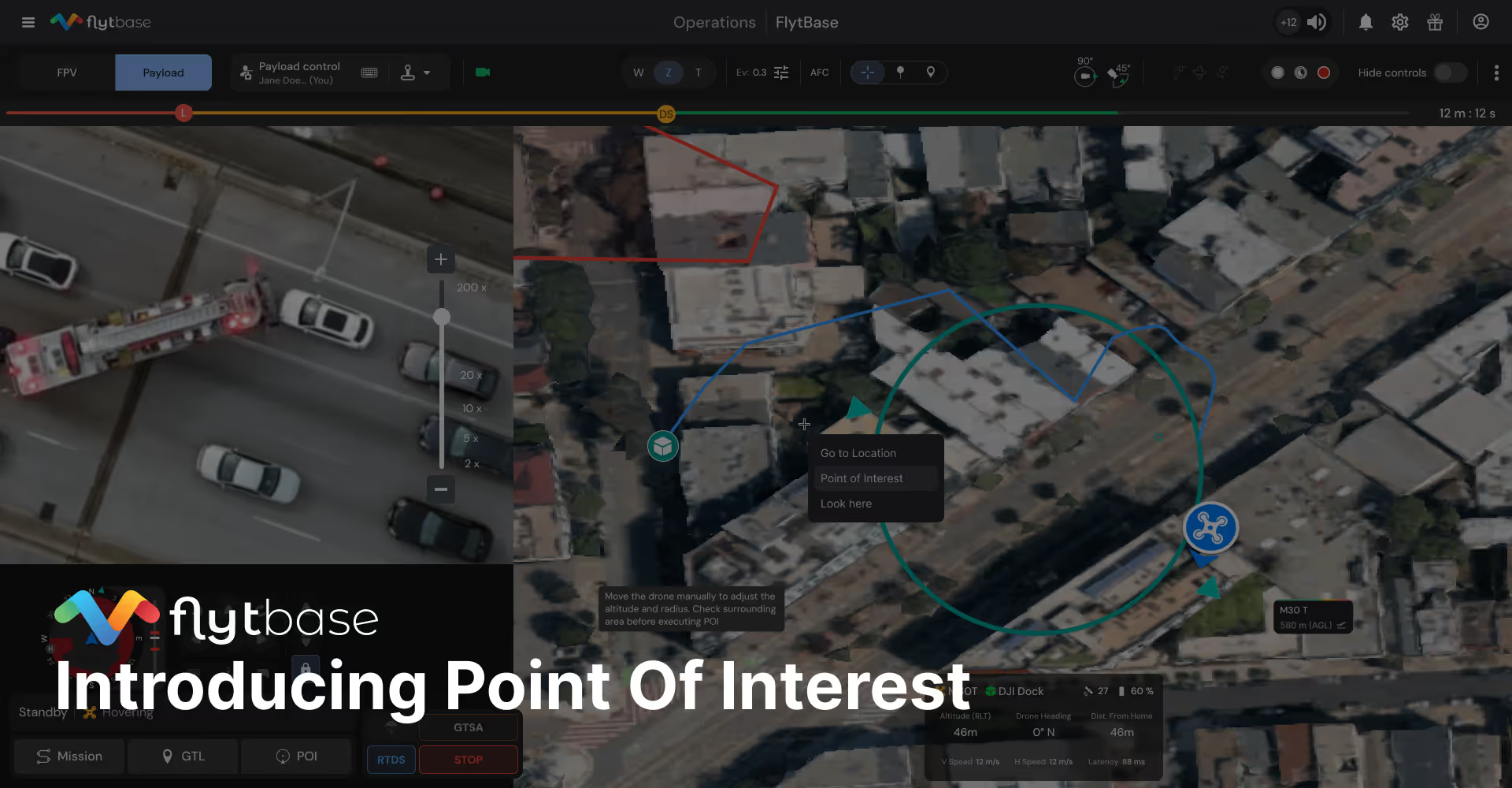
With your drone airborne, open the POI control from your main panel. Click any location on the map as your focus point: a vehicle, a building corner, an equipment installation. The drone immediately orients toward that target, and your camera feed shifts to match.
A circular path appears on the map, showing your orbit radius. This radius equals your current distance from the target. Position closer before starting for a tighter orbit, further away for wider coverage. Choose clockwise or counterclockwise rotation, and set your orbit speed.
Press Start. The drone begins moving along the orbital path while the camera automatically maintains target lock. The flight is smooth, the framing is consistent, and your attention is back where it belongs.
While the orbit continues, you have full control over camera and payloads. Switch between zoom and wide-angle, adjust magnification, toggle thermal. Control the searchlight. Broadcast through the speaker. The system maintains flight path and camera orientation throughout. You're managing the mission, not flying.
Getting Started
POI is available now for Dock 1 and Dock 3 operators. You'll find the control in your main panel during flight. Select a target, configure your orbit, and let the system handle the rest.
For questions or to see Point of Interest in action, contact support@flytbase.com.
Preguntas frecuentes
Encuentre respuestas rápidas a preguntas frecuentes sobre compatibilidad, configuración, funciones y precios
POI automatically orbits a selected point while keeping the camera centered, helping operators capture consistent multi-angle footage without manual flight adjustments.
POI is ideal during security responses, low-light investigations, and inspection tasks where complete visual coverage or smooth orbiting is needed.
Yes. Operators can zoom, switch camera modes, or capture photos and video while the drone maintains the orbit.
POI is supported on Dock 1 and Dock 3. Dock 2 is not supported because it does not include the required rangefinder sensor.
.webp)
.svg)
.webp)
.png)
